Recording Findings
Findings are the observations you make during an on-site fire risk assessment. They form the basis for the Q&A answers and final report.
What is a Finding?
A finding documents a specific fire safety observation, such as:
- Fire hazards identified
- Safety measures in place (or missing)
- Compliance issues
- Recommendations for improvement
Findings List
From the assessment detail page, click the Findings tab to see all recorded findings.
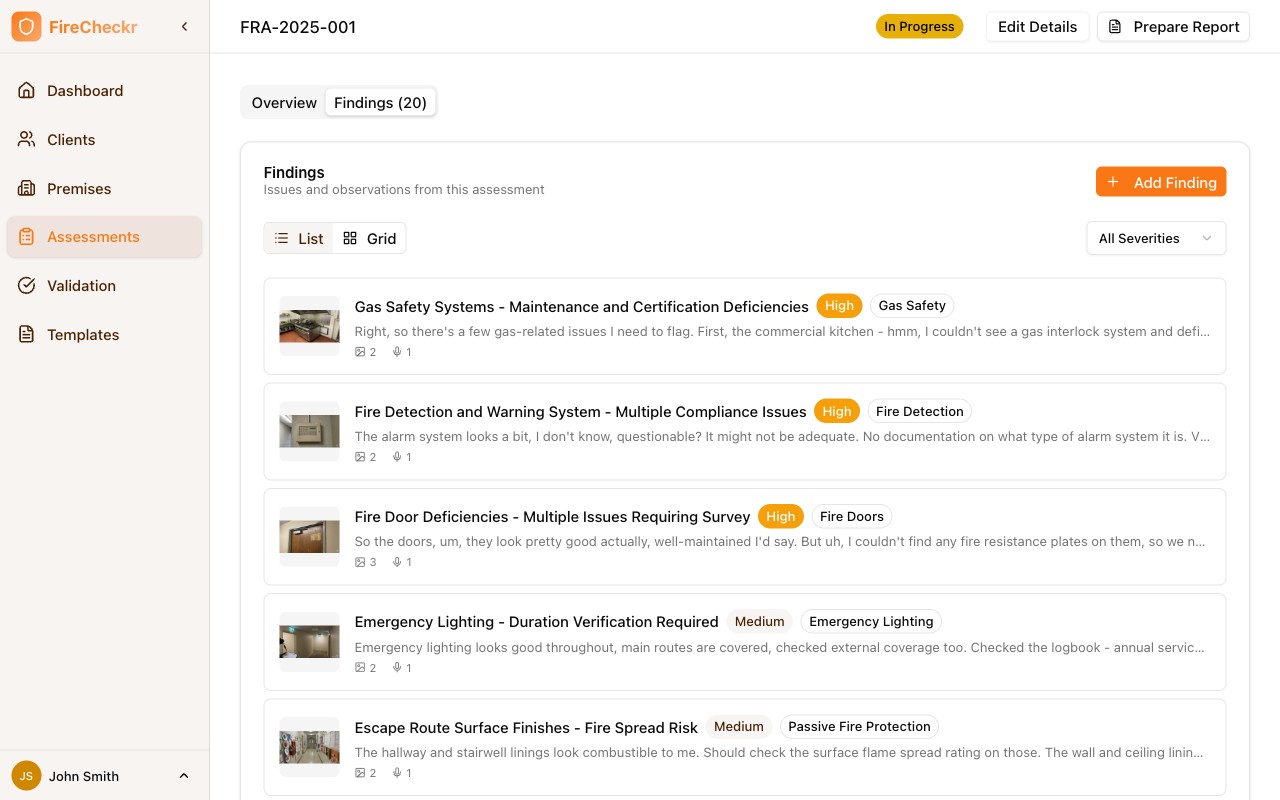
The list shows each finding with:
- Thumbnail — Photo preview from the finding
- Title — Brief description
- Severity — Risk level (High, Medium, Low)
- Category — Type of finding
- Attachments — Number of photos and voice notes
Filtering and Views
- Use All Severities dropdown to filter by risk level
- Toggle between List and Grid views
Adding Findings
Click Add Finding to create a new finding.
Finding Details
Each finding includes:
| Field | Description |
|---|---|
| Title | Brief description of the finding |
| Description | Detailed observation notes |
| Location | Where in the building this was observed |
| Category | Type of finding (hazard, compliance, etc.) |
| Severity | Risk level rating |
| Photos | Visual evidence |
| Voice Notes | Audio recordings from the field |
Adding Photos
- Click the camera icon
- Take a photo or select from gallery
- Optionally annotate the image
- The photo is attached to the finding
Mobile Workflow
On mobile devices, you can quickly capture photos and voice notes while walking through the premises.
Voice Notes
Record audio observations:
- Tap the microphone icon
- Speak your observation
- The recording is automatically transcribed and attached
Viewing Finding Details
Click on any finding to see the full details.
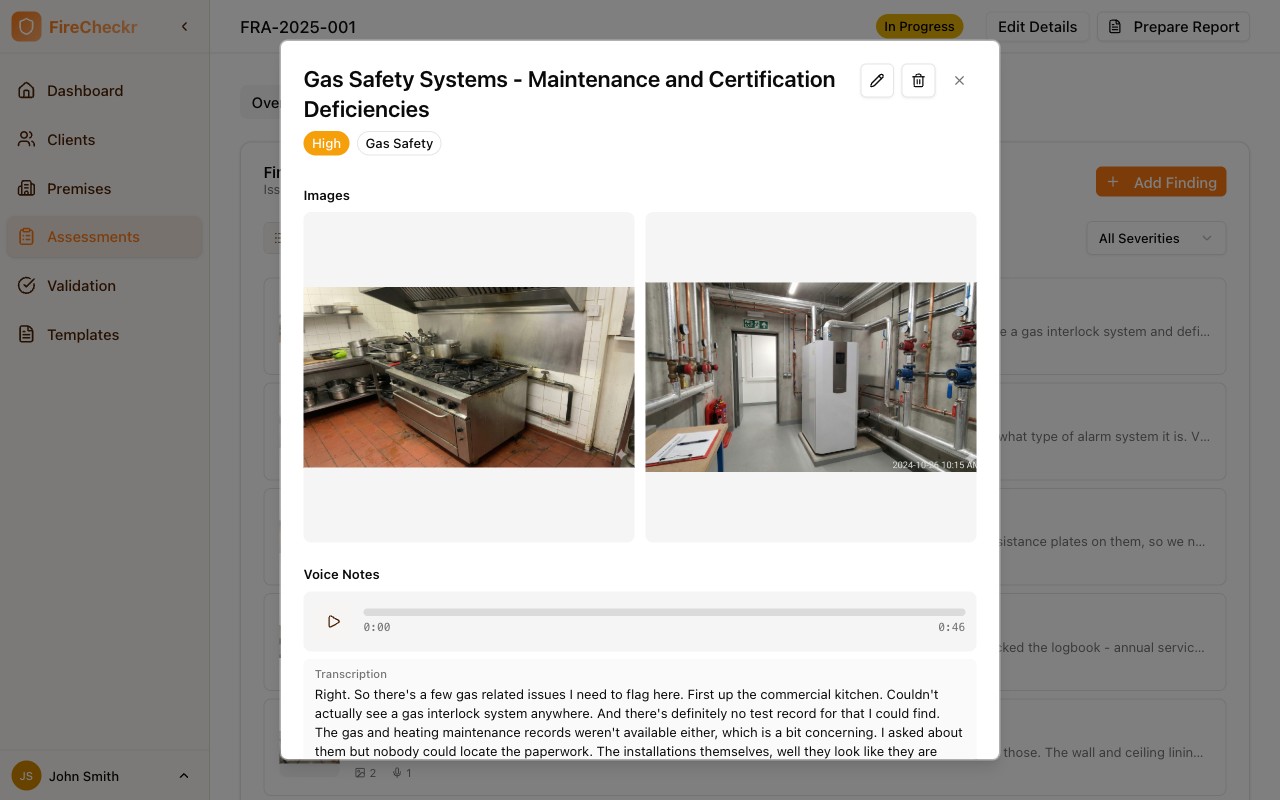
The detail view shows:
- Images — All attached photos with zoom capability
- Voice Notes — Audio player with transcription
- Description — Full observation text
- Recommendation — Suggested remediation
- Action Required — Specific action items
Use the action buttons to:
- Edit — Modify the finding
- Delete — Remove the finding
Best Practices
- Be specific and descriptive in finding titles
- Always include photo evidence where possible
- Note the exact location for each finding
- Record findings as you observe them—don't wait until later
- Use voice notes for quick observations you'll expand later
How Findings Connect to Q&A
When you move to the Q&A workspace:
- AI analyzes all your findings
- Relevant findings are matched to each question
- Draft answers are generated based on your observations
- You review and confirm or edit each answer
The more detailed your findings, the better the AI-generated answers will be.